

Question:

I am a law abiding person, and prefer it that way, since as you must have heard, “Don’t do the crime, if you can’t do the time”. That’s me, all my life.
These days I feel I am being bullied by everyone who has no right to bully me, I am referring to online companies, like LinkedIn. They are an online social network, not GOD and not the GOVERNMENT OF UNITED STATES.
WTF right do they have to DEMAND to have my ID – and my photo through my cell phone, and my cell phone number, and my date of birth, and every other f**ing thing they want? Just because they are LinkedIn?
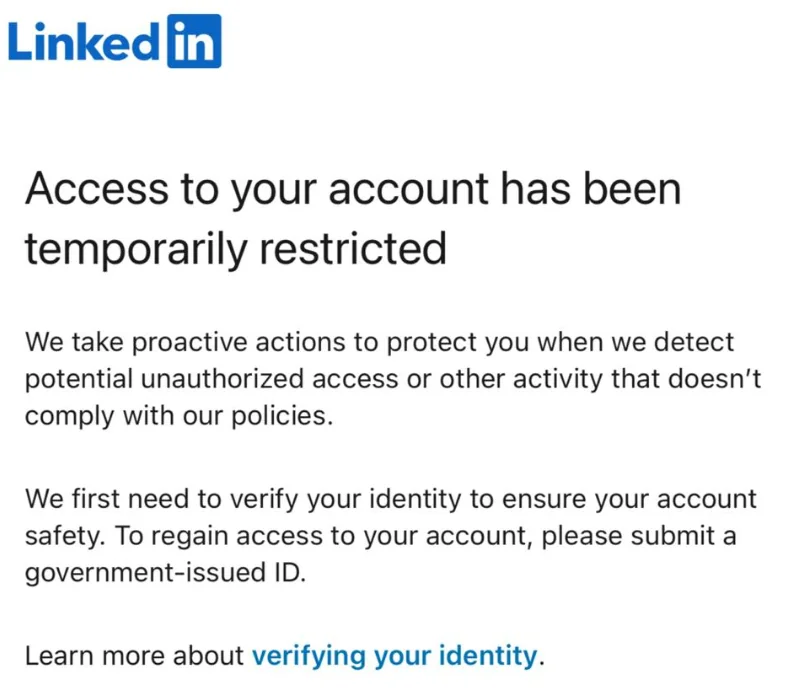
About a month ago I logged into my LinkedIn account that I’ve had for 11 years, and I got logged out. After spending about 10 minutes trying to get past various stupid nonsense CAPTCHAs which I could barely see (pick the boxes with a car in it – are you kidding me!), I was greeted with the message: “Access to your account has been temporarily restricted.”
I went through all the hell they put me through, first QR Code could not read it, after 2 hours fiddling with it, finally it read it. Then it put me through PERSONA security company, and they installed an APP on my cell phone, then they had me click on the APP go through one thing after another to take a picture of my face, then my driver’s license, and at the end – what did I get?
Our system cannot verify you face with the image of the picture in your provide government driver’s license.
I decided to write to them and let them know that for whatever the reason, they don’t like my cell phone. I live right here in California, in Irvine, and they can contact me, email me, mail to my address, call me, or get their system fixed.
Nothing.
The never contacted me. EVER.
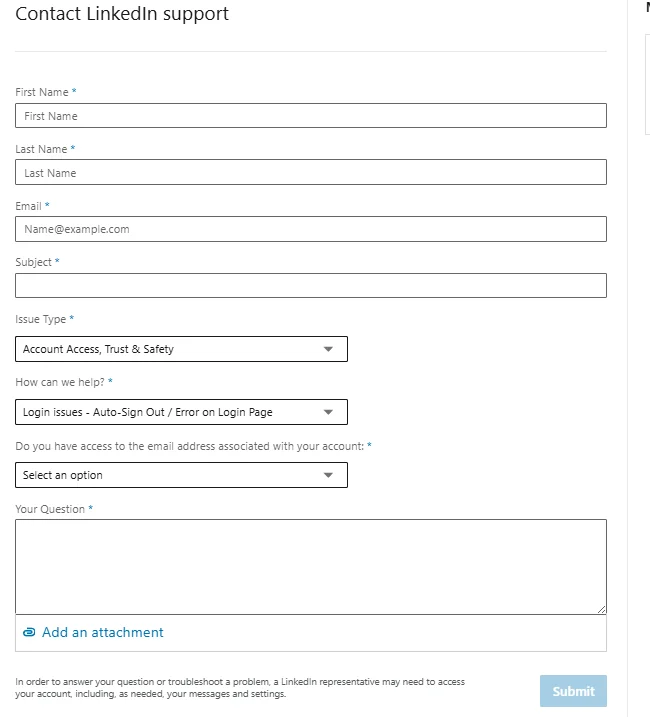
The nightmares you will encounter with the LinkedIn Support team – which they don’t exist – they are ghosts and completely non-responsive. I filled out all the information on these forms, number of times, each one a nightmare loop to go around the next:
- Email — you must use a different address; if you use the email from a frozen LinkedIn account, you’ll get an error and the request won’t be created. Very strange logic
- What can we help you with today? — Regain Access to My Account
- Issue Type — Account Restricted
An individual is facing the nightmare loops of LinkedIn because of failed LinkedIn Persona verification process is not designed to avoid situations that is beyond one’s control such as a model of cell phone that is not integrating or connection or has may be even software APP problems, hence being locked out of LinkedIn, despite providing California Drivers License and contacting support through multiple channels.
The user’s account remains restricted following automated rejections, which I cannot understand and LinkedIn feels that it is god and does not need to answer to anyone. Thankfully we have NO GOVERNMENT agency that can kick the ass and tell them not to be so abussive.
Since you have been great with all your support at Neosymmetry, I appreciate if there is anything you can do?
Answer:
First of all, we are very sorry for your trouble. You are not alone, and many people are going through this. LinkedIn has become a nightmare company, as many others, who gain a strong position in the market.
We’ve seen others behave the same in our time, from AT&T in 1990s, then Microsoft in early 2000s, then Google in 2010s, and now LinkedIn in 2020s. There has been others too, just to be fair.
These companies are bullying the American people and can care less if they upset users or subscribers as long as they are makign money and customer support means nothing to them until they fall from top standing, then suddently the become more “supporting” to their users.
LinkedIn and their verification is particularly intrusive and they refuse to just accept a photocopy of a drivers license, rather than use this PERSONA company which of course they are all in on the whole process of inconvenience for users while they become popular, and larger and go public with their offering and all share a piece of the action.
Consumers and users are the ones who are always suffering. This is the price of bullying corporations.
However, I think it is at the very least socially responsible act for me to describe all the things that we know for you to try to get yoru account opened again.
LinkedIn and PERSONA Verification problems and technical issues causing nightmare for users
When LinkedIn and Persona’s automated verification systems fail due to technical limitations (such as outdated operating systems, unsupported smartphone cameras, NFC scanning failures, or regional document restrictions), the automated portal will continuously reject photocopies and lock you into automated loop responses.
The solution is to bypass automated AI verification entirely and force a manual human review through alternative official pathways.
Step 1: Request a Notarized “Affidavit of Identity”
LinkedIn provides an alternative offline verification process when users cannot or will not complete automated third-party verification (Persona/CLEAR):
- In your support ticket or appeal, state explicitly:“Due to technical and document incompatibility with Persona, the automated verification failed. I am requesting an alternative manual review and an official LinkedIn Affidavit of Identity to verify my account.”
- LinkedIn will issue an Affidavit of Identity form.
- You must print the form, bring your physical passport or ID to a local notary public (or equivalent legal certifying officer,say at a UPS Store), sign it in their presence, and have it stamped/notarized.
- Scan the notarized document and submit it directly to your support ticket. Human trust-and-safety agents accept this in place of live biometric/Persona scanning.
Step 2: Use Privacy & Data Governance Escalation Paths
When front-line customer service agents or bots issue automated restriction templates, use LinkedIn’s legal and privacy channels:
- Contact the Data Protection Officer (DPO): Submit a request via LinkedIn Data Protection Request Form.
- Select Data Access / Correction: Choose “I want to exercise my data rights” or “Account Access Issue.”
- The Legal Argument: State that under applicable data protection laws (such as GDPR or local equivalents), you are requesting manual human intervention regarding automated decision-making (AI identity rejection) and seeking verification to exercise your right of access to your personal data. Privacy requests are routed directly to legal and compliance personnel rather than entry-level support queues.
Step 3: Escalate to LinkedIn Executive and Social Support Teams
Automated support bots frequently close tickets after 2–3 automated replies. To get a human to review the passport scans you submitted:
- Public Social Escalation: Direct message @LinkedInHelp on X (formerly Twitter). State your case number and clearly mention: “Automated Persona loop due to hardware incompatibility; human agent needed for manual passport review.”
- Submit via the Unauthenticated Contact Portal: Use the LinkedIn Help Contact Form (No Login Required) to open an unauthenticated ticket specifically categorized under Trust & Safety / Account Access.
Step 4: Workarounds for Technical Hardware Issues (If Re-attempting Persona)
If you are granted a fresh link to attempt Persona one more time:
- Never use in-app browsers: Do not click the link directly inside email or social apps. Copy the Persona link and paste it into updated versions of Chrome or Firefox on a newer secondary device (borrow a friend’s or family member’s phone if your OS is outdated).
- Desktop Webcam vs. Mobile: If scanning via mobile fails, open the verification link directly on a desktop with a high-definition external webcam.
- Avoid Flat Photocopies: Persona’s AI rejects flat 2D paper copies because it uses 3D depth, hologram, and liveness detection. Always photograph the original, physical document on a dark, non-reflective background in natural daylight.
Summary of What to Tell Support
| Issue | What NOT to Do | Recommended Action |
|---|---|---|
| Unsupported App/Phone | Sending flat photocopies or re-submitting rejected IDs | Request the Notarized Affidavit of Identity route. |
| Automated “Violation” Message | Repeatedly emailing the closed thread | Open a ticket via DPO Data Privacy or @LinkedInHelp on X. |
| Device/Camera Failures | Retrying on an outdated browser/OS | Use a borrowed up-to-date device or paste the link into a standalone mobile browser. |
Write to California Attoeny General about LinkedIn refusing to provide adequate support and intrusive information collection
This is your right as a California resident.
If enough number of people write to change LinkedIn’s behavior, or simple stop using LinkedIn and use other fair minded social networks, then LinkedIn does not have to be so dismissive and dictatorial and belligerent.
Again, I am so surry to hear that you are going through something so unnecessary and painful.
LinkedIn is a disgrace for knowing that this is what the users are subjected to, and still remain indifferent.
Disgradeful. Utterly disappointing.