
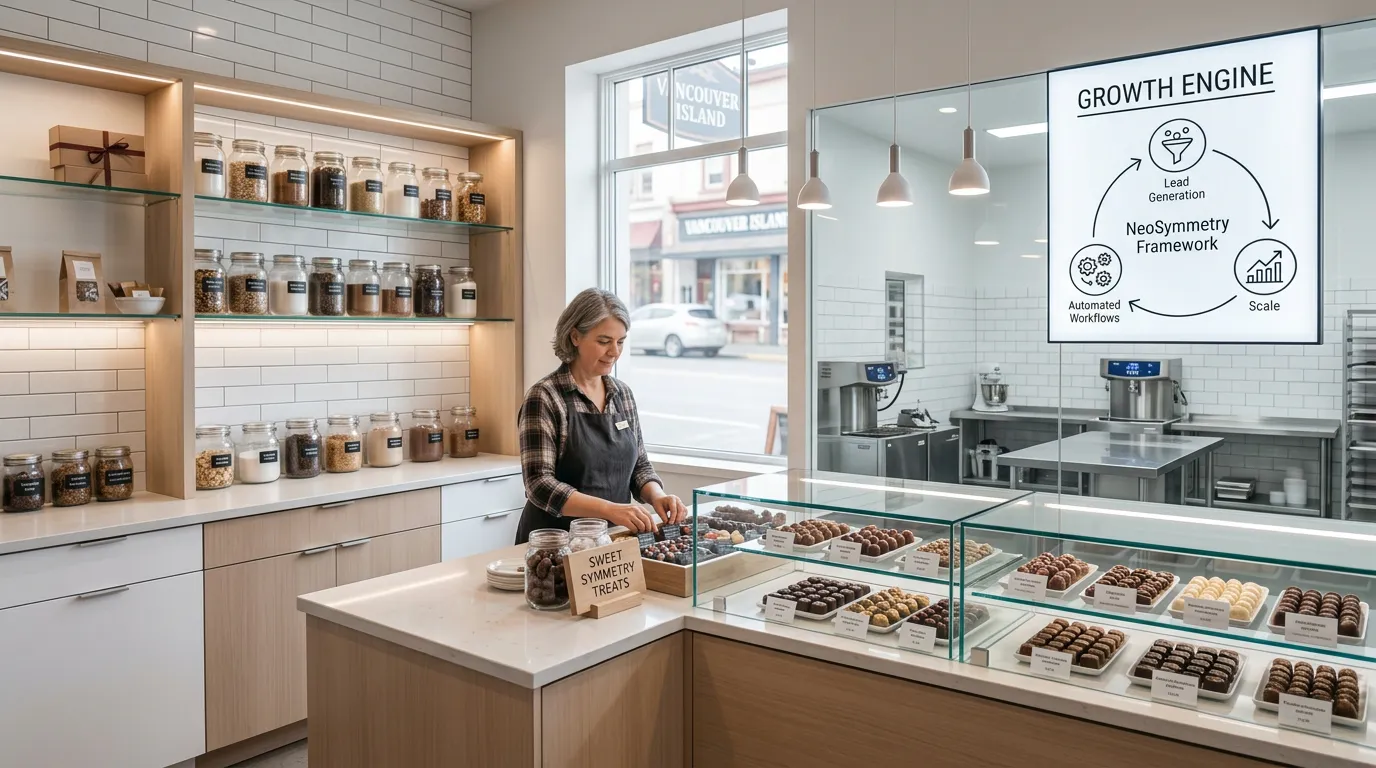
Let’s look at a case study for a small confectionery chocolate business that uses Shopify. There are a few things to consider before looking at a Growth Engine.
Most certainly you are looking for an affordable system to help manage things like:
- CRM and customer history
- Corporate/wedding/B2C prospecting / lead generation / sales pipeline
- Email marketing and customer segmentation
- Accounting (e.g. integration with QB Online)
- Product costing and margin analysis
- Bill of Materials (BOM) and recipes
- Raw material analysis, control, and management – and finished inventory
- Purchasing and suppliers
- Production/work orders
- Analytics and dashboards
- SOPs/process documentation
- Automation pipeline between these sub-systems
There are easy to use, quick to adopt, tools like Odoo and Zoho which both could potentially cover a lot of this, but a fair question would be which is better for this business model and its needs?

Choosing between Odoo and Zoho for a confectionery business comes down to the complexity of your kitchen operations versus your sales/marketing overhead.
For a small business using Shopify, here is the breakdown of how these compare across your requirements.
Quick Verdict
- Choose Odoo if your production is complex (multi-step tempering, dipping, cooling) and you need strict lot traceability for food safety/recalls. Its Manufacturing (MRP) module is significantly more powerful than Zoho’s.
- Choose Zoho if you are a small team that prioritizes ease of use, affordable CRM/Email marketing, and simple “assembly” (e.g., putting chocolates in a box).
Comparison Table: Odoo vs. Zoho
| Feature | Odoo (Enterprise) | Zoho One |
|---|---|---|
| Shopify Integration | Excellent native connector; syncs orders, stock, and customers in real-time. | Strong; via Zoho Inventory. Syncs products and stock levels well. |
| BOM & Production | Superior. Handles multi-level recipes, work orders, and production stages. | Basic. Uses “Composite Items.” Good for kitting, but lacks “work orders.” |
| Lot/Expiry Tracking | Deeply integrated; critical for food safety and shelf-life management. | Available in Zoho Inventory, but less “automated” during production moves. |
| Accounting | Fully integrated with inventory (COGS updates automatically). | Zoho Books is highly rated for SMBs and very intuitive. |
| CRM & Pipelines | Powerful, but can feel cluttered for very small teams. | Zoho CRM is a market leader for pipeline management. |
| Ease of Use | Steeper learning curve; requires more configuration. | Generally easier for non-technical users to set up alone. |
| Cost (Est. 2026) | ~$31 USD/user/month (All-in). | ~37–\45 USD/employee/month (Bundle). |
Analysis of Your Specific Needs
1. Production, BOMs, and Recipes This is where Odoo wins. Confectionery often involves “Work Centers” (e.g., the tempering station vs. the packaging line). Odoo allows you to track the exact cost of labor and electricity at each step. Zoho treates manufacturing more like “kitting”—you take X, Y, and Z and turn it into Product A, but it doesn’t easily track the process or the waste (scrap) in between
2. Shopify Integration Both connect well, but Odoo’s integration is more “ERP-native.” If a customer orders a personalized chocolate bar on Shopify, Odoo can automatically generate a manufacturing order for the kitchen. Zoho is better at syncing “off-the-shelf” inventory
3. Accounting & Analytics Zoho Books is generally preferred by Canadian small business owners for its simplicity and GST/HST handling. Odoo’s accounting is robust but “heavy”—every time you move a pallet of sugar, it generates a journal entry, which can be overwhelming if you don’t have a dedicated bookkeeper
A Third Option: Katana MRP
Since you are on Shopify and in the food industry, you should consider Katana MRP.
- Pros: Built specifically for manufacturers. It has the best Shopify integration for “Made-to-Order” businesses. It handles BOMs, recipes, and raw material tracking much more elegantly than Zoho.
- Cons: It is only for inventory and production. You would still need to pair it with QuickBooks Online or Xero for accounting and Klaviyo for email marketing.
Tip
If you prioritize Sales & Marketing (B2C, weddings, corporate deals), go with Zoho One. If you prioritize Production Control (recipes, raw materials, kitchen efficiency), go with Odoo.
Do you have a rough idea of how many people will need to use the system simultaneously? That often changes the “affordable” math significantly.
explain to me how NeoSymmetry can solve all of these issues easily
It is important to clarify that NeoSymmetry is not a traditional ERP software like Odoo or Zoho. Instead, it is a business growth framework and AI engine designed specifically to solve the “front-end” problems of a business: customer acquisition, sales conversion, and automated marketing
For a confectionery business, NeoSymmetry would solve your sales and marketing issues, but it would not replace the manufacturing tools you need for chocolate production. Here is how it fits into your requirements:
Where NeoSymmetry solves your issues “easily”
- CRM & Sales Pipeline: It uses an “AI Execution Layer” to automate lead follow-up. For your corporate and wedding segments, it can handle the initial inquiry, qualification, and automated nurturing so you only step in when it’s time to close the deal
- Email Marketing & Segmentation: Rather than just sending newsletters, it builds “feedback loops” that segment customers based on behavior (e.g., someone who buys personalized gifts vs. a wholesale corporate account) and triggers personalized messaging automatically.
- Analytics & Dashboards: It provides a “Unified Data Protocol” to show you exactly which marketing efforts are driving sales, which is often a blind spot in standard Shopify setups
- Automation: Its core purpose is “Symmetry”—ensuring your marketing, sales, and delivery systems talk to each other so no leads fall through the cracks.
The Critical Gap: Production & Inventory
NeoSymmetry does not handle the “back-end” confectionery operations you listed:
- No BOMs/Recipes: It won’t track how many grams of cocoa butter go into a batch.
- No Raw Material Inventory: It won’t alert you when you are low on sugar or packaging.
- No Accounting: It is not a financial ledger (like Zoho Books or Odoo Accounting).
Important
NeoSymmetry is a Growth Engine, not a Manufacturing Engine.
The Recommended Hybrid Strategy
If you want the best of both worlds, the most effective way to use NeoSymmetry would be as the “brain” for your growth, while using a simpler tool for the kitchen:
- Shopify: For your online storefront.
- Katana MRP or Odoo: To handle the chocolate recipes, production orders, and inventory.
- NeoSymmetry: To sit on top of everything, pulling data from Shopify to drive your corporate sales outreach and customer retention campaigns.
Are you looking for a single “all-in-one” box, or are you open to connecting a few specialized tools together?
what can you put together with NeoSymmetry to do these effectively: No BOMs/Recipes: It won’t track how many grams of cocoa butter go into a batch.
No Raw Material Inventory: It won’t alert you when you are low on sugar or packaging.
No Accounting: It is not a financial ledger (like Zoho Books or Odoo Accounting).
To solve the “Production Gap” while keeping NeoSymmetry as your sales and marketing brain, you should build a Tech Stack Sandwich. You place NeoSymmetry at the top (Growth), Shopify in the middle (Transaction), and a specialized Inventory/MRP tool at the bottom (Production).
Here are the three most effective ways to fill those gaps:
Option 1: The “Best of Breed” (Recommended for Shopify)
This setup uses specialized tools that are easier to use than Odoo or Zoho but much more powerful for a confectionery business.
- For BOMs & Recipes: Katana MRP. It was built for Shopify makers. It tracks “Live Inventory,” meaning when a chocolate bar sells on Shopify, it immediately subtracts the cocoa, sugar, and foil from your raw materials.
- For Accounting: QuickBooks Online (QBO). It is the gold standard for Canadian small businesses, handles GST/HST perfectly, and connects natively to Katana and Shopify.
- How it works with NeoSymmetry: NeoSymmetry pulls your customer data from Shopify/QBO to run your corporate sales outreach. When NeoSymmetry closes a large corporate gift order, the order flows into Shopify Katana (to make the chocolates) QBO (to log the revenue).
Option 2: The “Integrated ERP” (The Odoo Route)
If you want to keep your tool count low, you skip the specialized tools and use Odoo as the “Engine Room.”
- For BOMs & Accounting: Odoo Enterprise. You use the Manufacturing, Inventory, and Accounting modules.
- How it works with NeoSymmetry: You use the NeoSymmetry API/Webhooks to push “Won Deals” from the NeoSymmetry CRM into Odoo. Odoo then handles the heavy lifting of tracking your batch costs and generating your financial statements.
Option 3: The “Zoho Ecosystem” (Budget Friendly)
If you are already leaning toward Zoho, you use their “bundle” to cover the gaps.
- For BOMs: Zoho Inventory. It uses “Composite Items” to track recipes. It’s not as robust for complex manufacturing as Katana, but it will alert you when you’re low on sugar.
- For Accounting: Zoho Books.
- How it works with NeoSymmetry: NeoSymmetry manages your high-level strategy and automated follow-ups, while the Zoho suite handles the physical “stuff” and the money.
Comparison Summary for Your Gaps
| Requirement | Katana + QBO | Odoo | Zoho Suite |
|---|---|---|---|
| BOMs & Recipes | Highly Visual / Easy | Industrial Strength | Functional / Basic |
| Low Stock Alerts | Automatic & Precise | Rules-based (Complex) | Simple Alerts |
| Accounting | QBO (Canada Ready) | Odoo (Integrated) | Zoho Books (Easy) |
| Setup Time | Fast (1-2 weeks) | Slow (1-3 months) | Medium (2-4 weeks) |
Tip
For a confectionery business, the most common failure point is Lot Tracking. Ensure whatever back-end you choose can track Expiry Dates. If you have a recall, you need to know exactly which bars were made with a specific batch of cocoa. Katana and Odoo handle this well; Zoho requires their higher-tier plans.
Which of these three paths sounds more like your style: specialized “best-in-class” tools, or a single all-in-one system?
For a marketing agency handling high volumes of UGC and long-form video, the “captions-only” tools you’ve likely tried are too basic. You need a tool that handles semantic search—meaning it understands what is being said and shown, and can cut clips based on narrative value.
Based on your workflow, here are the three best tools for generating a “first draft” from 30–60 minute raw files.
1. Descript (The Professional Standard)
If you want to edit video as easily as a Word document, this is the industry leader.
- How it works: You upload your 60-minute video, and it generates a transcript. To “cut” a clip, you just highlight the text and click “Duplicate to new composition.”
- The AI edge: Their “Underlord” AI assistant can automatically scan the whole transcript to find “Good Clips” based on context. It also has a “Remove Filler Words” feature that cuts out every “um,” “ah,” and “like” in one click.
- Workflow fit: Best for dialogue-heavy UGC where you need to trim the fat and get a clean, polished first draft to export to Premiere Pro or DaVinci
2. Opus Clip (The High-Volume “Virality” Engine)
If your agency’s goal is to turn one long video into 10–15 social media shorts, this is the fastest tool.
- How it works: You drop a link (YouTube/Google Drive) or upload the file. The AI analyzes the video and gives each potential clip a “Virality Score.”
- The AI edge: It handles Active Speaker Detection (automatically centers the face in a 9:16 frame) and semantic analysis to find hooks. It doesn’t just cut at random; it looks for complete thoughts.
- Workflow fit: Best for rapid social media repurposing. It gives you a “rough cut” with captions and emojis that you can then tweak in their online editor
3. Adobe Premiere Pro (Text-Based Editing)
If you already use Premiere, you might not need a new tool. Their native Text-Based Editing is now powerful enough to replace most AI startups.
- How it works: You transcribe the clip in the “Text” panel. You can search for keywords (e.g., “product demo”) and the playhead jumps to that moment.
- The AI edge: It features “Scene Edit Detection,” which can take a 60-minute flat file and automatically slice it into individual shots based on visual changes.
- Workflow fit: Best for agencies that need to maintain a high-end, professional timeline workflow without switching between different web apps.
Comparison for Agency Workflow
| Tool | Primary Strength | Best For | Learning Curve |
|---|---|---|---|
| Descript | Text-based manipulation | Dialogue-heavy UGC / Podcasts | Low |
| Opus Clip | Automated Virality Scouting | Rapid Social Media Volume | Zero (Fully Auto) |
| Premiere Pro | Granular Professional Control | High-end Agency Deliverables | High |
Tip
For UGC clipping, start with Descript. The ability to see the video as a script allows your team to “read” the video at 10x speed, highlighting the best hooks and immediately deleting the boring parts. It saves hours of scrubbing through a 60-minute timeline.
Do you typically edit your final versions in a specific software like Premiere or CapCut? That might dictate which “first draft” tool integrates best.